
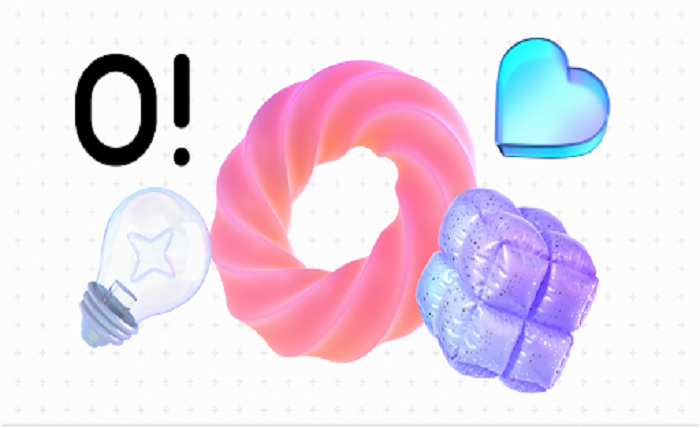
Many product teams struggle with dull app screens and text-heavy articles. The default assumption in the design industry is that building a unique, coherent brand system requires commissioning fully custom artwork from an in-house illustrator. Off-the-shelf options historically meant piecing together mismatched graphics from various stock sites, resulting in a fragmented user experience.
Ouch by Icons8 attempts to solve this exact problem by offering an extensive library built specifically for full user experience flows. With 101 distinct illustration styles ranging from minimal monochrome to boldly colorful surrealism, the platform provides an alternative to starting from scratch. The central question for any design team is whether a pre-made library can actually replace a dedicated illustrator while maintaining strict visual continuity across a brand.
Daily Workflows For Frontend Developers
Tariq is a frontend developer tasked with building a new startup landing page by the end of the week. He opens the Pichon desktop app alongside his code editor. He searches for a specific concept like cloud security and filters the results to show only simple line graphics. He drags a transparent PNG directly from Pichon onto his local development server to test the layout and sizing within his CSS grid. Once the layout is approved, he logs into his Pro account on the web interface, downloads the scalable SVG version, and tweaks the primary hex code in his markup to match the company brand guidelines before pushing the final code to production.
Mapping Out Complex Application Flows
Creating a cohesive user journey means the 404 error page must visually match the checkout success screen. A UI designer mapping out an eCommerce application starts by selecting one of the 44 available 3D styles. They need assets for every single edge case. They grab a waiting animation in Lottie JSON format for the payment loading screen, a static FBX model for the homepage hero section, and smaller PNGs for empty cart states.
Because the library breaks down layered vector graphics into tagged, searchable objects rather than just flat pre-made scenes, the designer maintains strict visual continuity. They can pull individual 3D objects like a shopping basket or a credit card and place them consistently across different screens. This level of consistent UX coverage ensures that the add-to-cart interactions feel intrinsically linked to the login prompts.
Scaling Content Marketing Campaigns
Content managers face a different set of challenges. They need to break up long blog articles and build matching newsletter assets to fix low-engagement emails. A marketing manager navigates to the web library and filters by the Business and Technology categories, which contain over 50,000 assets combined.
Instead of downloading a static image and hoping it fits the context of the article, they open the graphic in Mega Creator, the free online editor provided by Icons8. They recolor the main characters to match the corporate palette, swap out a laptop object for a tablet to better reflect a mobile-focused blog post, and rearrange the background elements to fit a vertical aspect ratio for an accompanying social media campaign. Finally, they export the customized file to publish across their marketing channels, ensuring the newsletter design matches the website homepage perfectly.
Comparing Approaches To Visual Assets
Evaluating where this platform fits in the market requires looking at the alternatives. Freepik offers massive volume but struggles with style consistency across large projects, often forcing designers to manually unify disparate graphics. unDraw provides a highly cohesive single style with easy recoloring but lacks aesthetic variety, making many tech sites look identical. Humaaans is excellent for mixing and matching character poses but does not cover broad concepts like server architecture or healthcare equipment.
If you need diverse, style-matched illustrations that cover both abstract tech concepts and human interactions, Ouch provides a more structured ecosystem. The inclusion of animated formats like Rive and After Effects projects also gives it an edge over static-only libraries, allowing teams to use the exact same character designs in a static presentation and an animated onboarding sequence.
Limitations and when this tool is not the best choice
Pre-made libraries cannot solve every visual problem. If your company requires highly specific visual metaphors, proprietary product depictions, or a completely bespoke brand identity, you must hire a custom illustrator. A pre-made library will never capture the exact nuances of a unique hardware product or a highly specialized industrial process.
Free users face significant restrictions. The free tier only provides PNG formats and mandates link attribution back to Icons8. Placing attribution links on enterprise client work or a premium app interface is entirely unprofessional, forcing serious practitioners into the paid Pro plans to access SVGs and remove the attribution requirement.
Licensing is another strict boundary. Standard paid plans do not cover merchandise or print-on-demand projects. Teams looking to print these graphics on physical goods for sale must contact the company directly to negotiate a specific license.
Working with the animated assets requires specialized software knowledge. While downloading a GIF is straightforward, editing the After Effects projects or manipulating the MOV 3D animations requires dedicated motion design skills and expensive software licenses that a standard web designer might not possess.
Practical Tips For Production Environments
Getting the most out of a massive vector library requires discipline. Haphazardly downloading assets will quickly ruin a project.
- Commit to a single style family per project. Mixing a sketchy look with clean 3D models destroys visual hierarchy and immediately signals to users that you are using stock assets.
- Utilize the searchable objects feature to build custom scenes instead of relying entirely on pre-composed layouts, which helps avoid using the exact same hero image as your competitors.
- Batch your asset hunting. Paid plans roll over unused downloads to the next period, making it efficient to stockpile credits and download entire UX flows in one session.
- Leverage the Illustration Generator for AI generation within specific styles to fill in missing edge cases that the standard library does not cover.